Compare Contractor Bids in Excel: Trace a $2.22 Million Price Gap
Use a real US public bid tabulation to build an Excel comparison: three contractors, 26 base-bid items, estimate variances and traceable price differences.
Actual Excel screenshots from a GetSheetAI demonstration using published Johnsburg base-bid data. Presentation formatting was adjusted for readability; source values and calculations were retained. This is a price comparison, not an award recommendation.
Three contractors priced the same public project. The highest and lowest base bids differed by more than two million US dollars. A total tells you the size of the gap; an item comparison helps you decide what to investigate next.
To compare contractor bids in Excel, align the scope and line items, total each bidder's published amounts, compare them with the estimate, and trace the largest differences back to individual items. This GetSheetAI case turns that process into a formula-linked workbook.
Use one clearly defined public scope
The source is the Village of Johnsburg, Illinois, East Service Area Phase 1 Sanitary Sewer Extension bid tabulation, dated January 11, 2024. This demonstration uses the 26 base-bid items on page 1. The add-alternate bid on page 2 is excluded.
Amounts are USD. The comparison uses the published line totals, not quantities multiplied by rounded displayed unit prices. The source is a public record, not an invented customer engagement or a claim that GetSheetAI participated in the procurement.
See the totals before investigating the detail
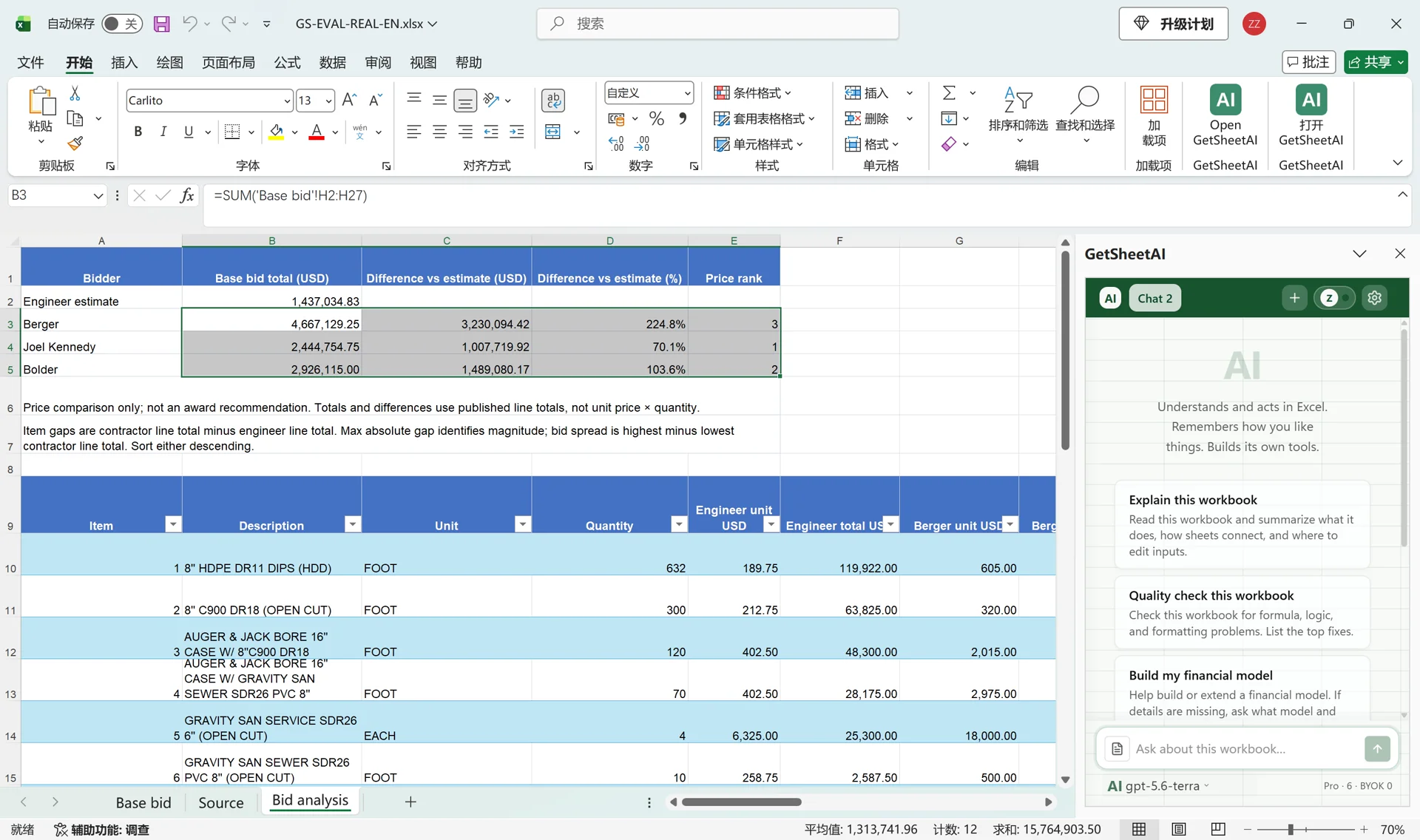
| Entry | Published base-bid total, USD |
|---|---|
| Engineer's estimate | 1,437,034.83 |
| Berger Excavating | 4,667,129.25 |
| Joel Kennedy Construction | 2,444,754.75 |
| Bolder Contractors | 2,926,115.00 |
The highest-minus-lowest spread is USD 2,222,374.50. This is a price difference, not demonstrated savings. Price rank does not establish contractor quality, responsiveness or eligibility for award.
Build the comparison inside Excel
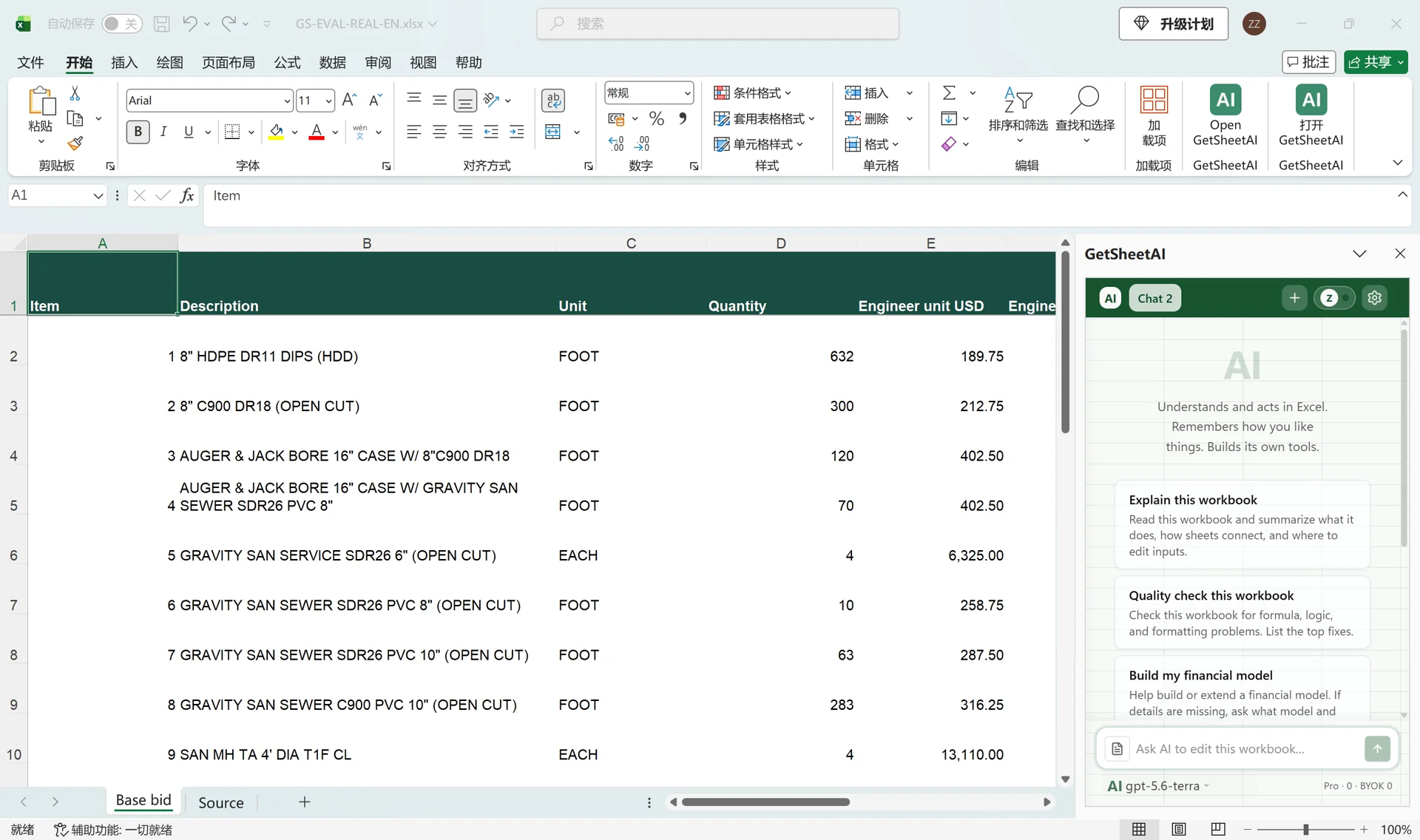
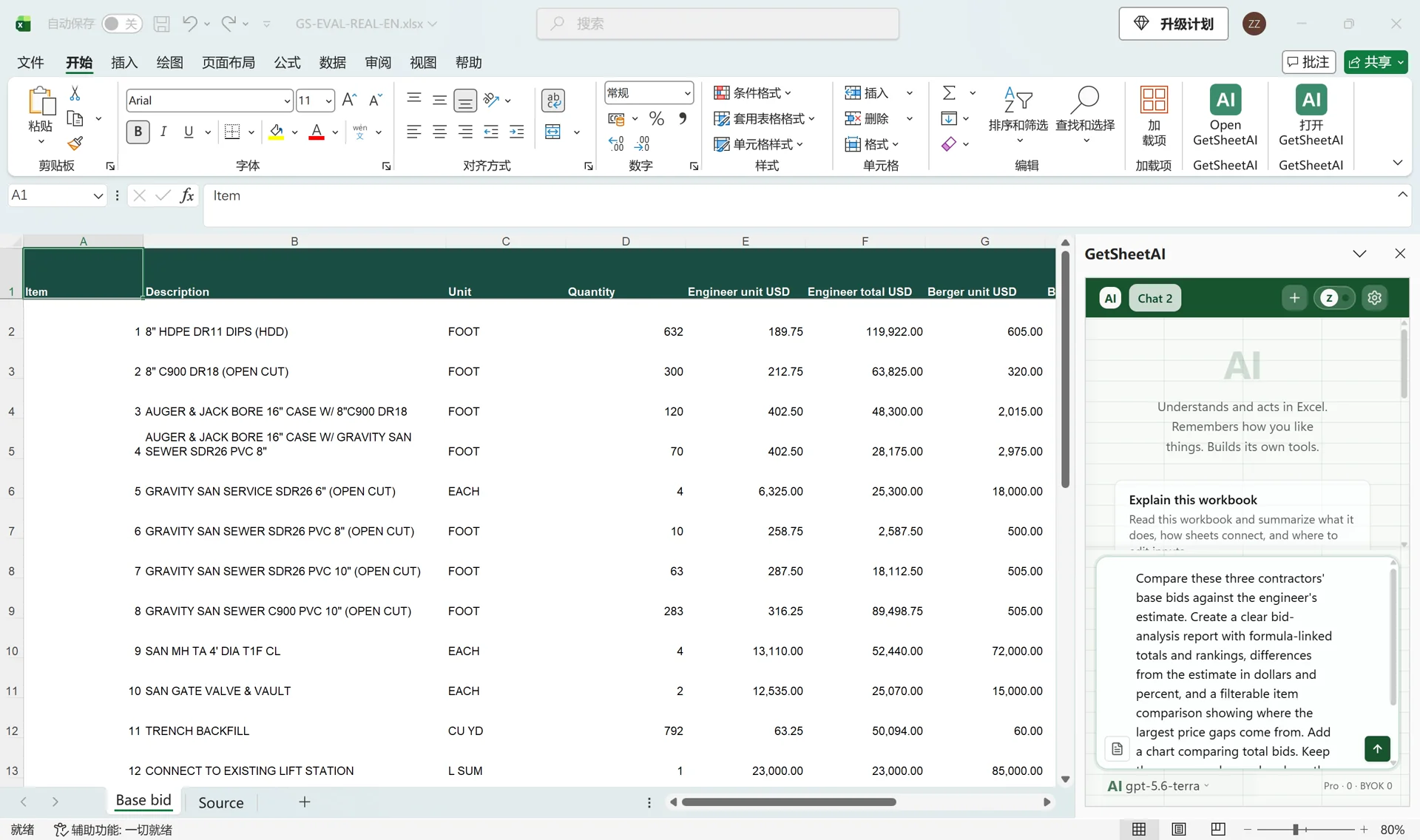
The prepared source sheet contains item, description, unit, quantity and separate unit-price and line-total columns for the estimate and each bidder. Open GetSheetAI in that workbook, start a new conversation and ask:
Compare these three contractors' base bids against the engineer's estimate. Create a report with formula-linked totals and price rankings, differences from the estimate in dollars and percent, and a filterable item comparison showing the largest price gaps. Add a total-bid chart. Keep the source unchanged and use the published line totals. This is a price comparison, not an award recommendation.
The recorded result included a comparison table, an item-level filterable table and a chart. The workbook contained 455 formula cells; the source remained unchanged and the checked report had no formula errors. Screenshot presentation formatting was adjusted for readability while retaining the calculations and source values.
Separate three kinds of difference
Use clear labels for the calculations. A bid's difference from the estimate equals its total minus the estimate. Its percentage difference uses the estimate as the denominator. An item's bid spread is the highest contractor line total minus the lowest contractor line total.
For illustrative cells where B2 holds the estimate and B3 holds a bid total:
=B3-B2
=(B3-B2)/B2
Format the second result as a percentage. A zero or missing estimate needs a review status rather than an unexplained percentage. These cell addresses illustrate the method; they are not a required layout for your workbook.
Investigate the lift-station item
The complete lift-station line ranges from USD 895,000 to USD 2,796,500 across contractors, a spread of USD 1,901,500. It is a clear candidate for scope and pricing questions. It does not, by itself, explain why the contractors priced the work differently.
Sort or filter the item comparison by absolute difference and keep the original descriptions visible. Do not add every item's independent maximum-minus-minimum spread and describe it as the gap between two complete bids: the highest bidder can differ from item to item.
Checks before sharing the analysis
Confirm that every bidder covers the same included scope, the currency is explicit, missing prices are not silently treated as zero, and all totals reconcile to the published source. Keep alternates separate until the comparison scope explicitly includes them.
This workflow can support a reviewable comparison workbook with source references, formulas and questions for follow-up. It does not replace procurement review or establish which offer should win. For differences between successive versions of a quote, see how to compare Excel sheets.